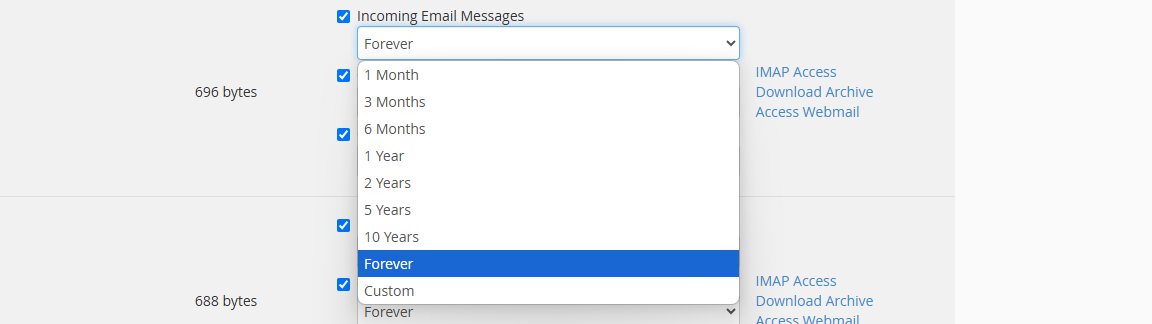
Delete Archived emails Roundcube
There is only one way of deleting the archived emails and it's through direct ssh root access to the server.
- Login to SSH and go to the cPanel user's archive folder
- In the folder you will find the current archived folders that are starting with dot (.) such as.
- .outgoing
- .incoming
- .mailman
- The folders will contain also the date from which they were archived. Based on that you can delete them as per your liking.
- Once you have the folders removed with rm -rf . You need to execute the below script to update the disk usage in the cPanel -> Archive menu
[!NOTE] The emails older than the new retention period are automatically removed during the nightly upcp cron job as well
- Keep in mind that this script will also clean emails that beyond their retention period.
- The retention period can be selected from the drop down menu below each archive option